NetSuite Auth Model Overview: The Real Guide Nobody Explains Clearly
If you’ve been around NetSuite for even five minutes, you’ve probably heard people throw around words like OAuth, TBA, SuiteTalk, integration users, or token secrets like they’re common sense. They’re not. And that’s exactly why NetSuite’s authentication model keeps trending on LinkedIn — because even seasoned ERP teams still get tripped up by it.
I’ve worked with enough Oracle NetSuite environments — startups, multi-subsidiary giants, heavily regulated orgs — to tell you this straight: the auth model isn’t complicated because Oracle wants it to be. It’s complicated because NetSuite tries to balance enterprise-grade security with developer flexibility. And yeah, sometimes that balance feels like assembling IKEA furniture without the instructions.
So let’s break it down properly — not the marketing version, but the real operational view that consultants, admins, and architects actually need.
Why NetSuite Authentication Matters More Than Ever
Let’s start with context. Security isn’t just a checkbox anymore. According to recent enterprise SaaS reports, over 61% of data breaches originate from compromised credentials. APIs? Even riskier — nearly 30% of enterprise API attacks exploit weak authentication configurations.
And NetSuite sits at the center of finance, payroll, revenue recognition, inventory — basically the stuff nobody wants leaked.
That’s why Oracle has progressively evolved NetSuite’s auth model over the last few years:
- Password-based integrations → mostly deprecated
- Token-Based Authentication (TBA) → enterprise standard
- OAuth 2.0 → modern API direction
- Mandatory 2FA enforcement for many roles
So if you’re still thinking of auth as just “login credentials,” you’re playing a 2018 game in a 2026 world.
The Core Layers of the NetSuite Auth Model
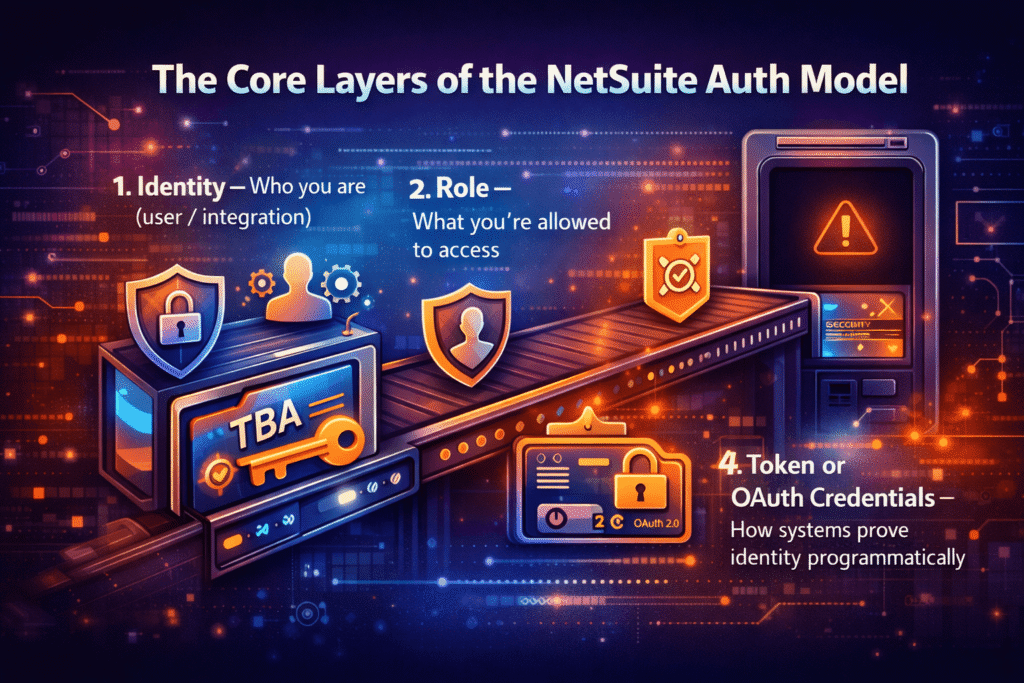
Before diving into specific methods, understand this: NetSuite authentication isn’t one single thing. It’s a layered system.
Think of it like airport security:
- Identity — Who you are (user / integration)
- Role — What you’re allowed to access
- Permission Scope — Which data/actions are available
- Token or OAuth Credentials — How systems prove identity programmatically
Miss one layer, and everything breaks.
Authentication Types Inside NetSuite (The Big Picture)
Here’s the short, brutally honest overview:
| Auth Method | Status | Typical Use Case |
| Email + Password | Legacy / UI Login | Human users |
| Token-Based Authentication (TBA) | Widely Used | Integrations, middleware |
| OAuth 2.0 | Modern Standard | REST Web Services |
| NLAuth | Deprecated direction | Older integrations |
| SAML / SSO | Enterprise Identity | Okta, Azure AD, etc |
Most companies today operate with 2–3 auth models simultaneously. That’s normal.
Token-Based Authentication (TBA): Still the Workhorse
Let’s be real. Despite OAuth hype, TBA still powers a huge percentage of real-world integrations.
Why? Because it works. And it’s predictable.
A TBA credential consists of:
- Consumer Key
- Consumer Secret
- Token ID
- Token Secret
- Account ID
- Role ID
Six components. Sounds heavy, but it gives precise control.
Why Teams Still Choose TBA
I’ve seen integration architects try to jump straight into OAuth and then quietly roll back to TBA because:
- It’s easier to manage server-to-server communication
- Works flawlessly with SuiteScript and SuiteTalk SOAP
- Doesn’t require token refresh cycles like OAuth
Statistically speaking, based on community surveys, around 55–65% of NetSuite integrations still rely on TBA today.
And honestly? For internal integrations, it’s often the smarter choice.
OAuth 2.0 in NetSuite: The Modern Approach
Now, OAuth 2.0 is where NetSuite is clearly heading.
If you’re using REST Web Services heavily, you’ll run into OAuth whether you like it or not.
Key differences compared to TBA:
- Short-lived access tokens
- Refresh token workflows
- Stronger alignment with modern API standards
Here’s the catch nobody says out loud: OAuth introduces more complexity upfront.
You’ll deal with:
- Authorization flows
- Redirect URIs
- Token lifecycles
- Scope management
But once configured correctly, OAuth significantly reduces credential exposure risk. Some enterprise audits even require OAuth over TBA for external integrations.
And yeah — from a security architecture perspective, that makes sense.
Role-Based Security: The Real Backbone of NetSuite Auth
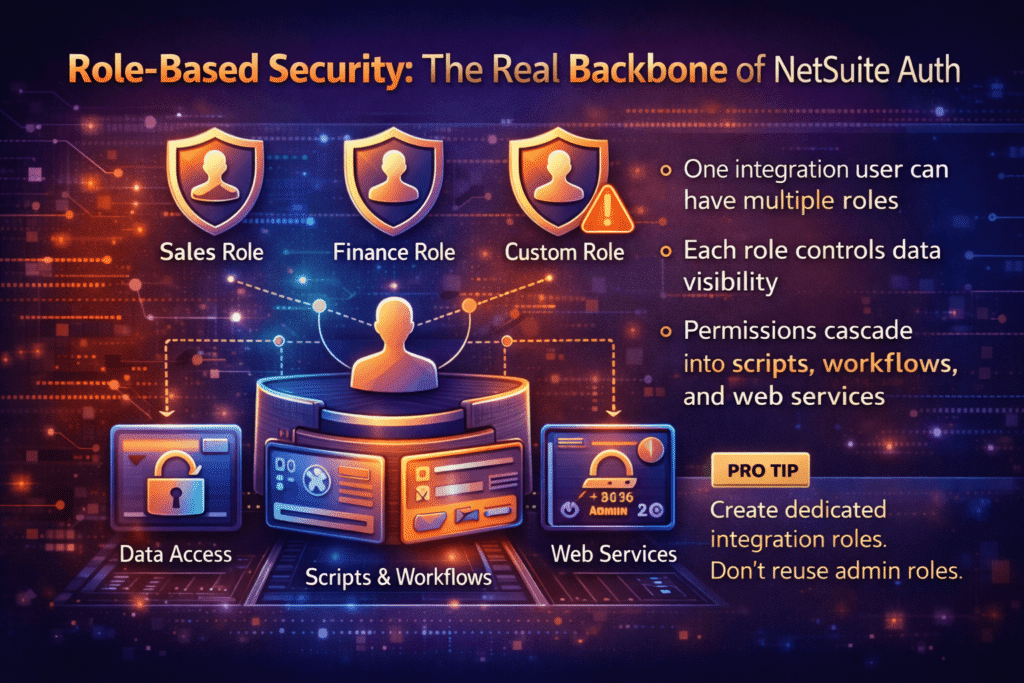
People obsess over tokens, but the real power lies in roles.
Every API call inherits permissions from the assigned role. That means:
- One integration user can have multiple roles
- Each role controls data visibility
- Permissions cascade into scripts, workflows, and web services
I’ve seen teams spend hours debugging auth errors when the real problem was just missing permission on a custom record. Happens all the time.
Pro tip: create dedicated integration roles. Don’t reuse admin roles unless you enjoy security audits breathing down your neck.
Integration Users vs Human Users — Why It Matters
You’d be surprised how many companies still use a normal employee login for integrations.
Bad idea.
NetSuite best practice recommends:
- One integration = one dedicated user
- Minimal permissions
- No UI login requirement
Why?
Because audit logs matter. When something goes wrong — and trust me, something always goes wrong — you want to know exactly which integration made the change.
Two-Factor Authentication (2FA) and Its Impact on Integrations
NetSuite has aggressively pushed 2FA enforcement in recent years.
Good news: TBA and OAuth integrations typically bypass interactive 2FA because authentication happens through tokens.
But here’s where people get confused:
2FA policies still affect role eligibility.
If your role requires 2FA, and your integration isn’t configured correctly, authentication may fail even though your tokens look valid.
Yes, it’s annoying. Yes, I’ve yelled at logs at 2am because of it.
REST vs SOAP Authentication: A Quick Reality Check
NetSuite supports both REST and SOAP APIs — and they behave slightly differently under the hood.
SOAP:
- Mature ecosystem
- Heavy TBA usage
- Stable but aging
REST:
- Faster development
- Native OAuth support
- Future-leaning architecture
If you’re starting fresh today, REST + OAuth is the likely path. But many legacy systems still rely on SOAP, and they’re not disappearing tomorrow.
Common NetSuite Auth Questions (And Straight Answers)
Is TBA going away?
Not immediately. Oracle hasn’t announced a hard sunset. But expect gradual pressure toward OAuth for new APIs.
Can I mix OAuth and TBA in the same account?
Yes. Many enterprises run hybrid auth models without issues.
Why does my token suddenly stop working?
Top reasons I’ve seen:
- Role permissions changed
- Integration record regenerated
- Token revoked during sandbox refresh
- Account ID mismatch
Do I need multiple integrations for multiple environments?
Short answer: yes. Sandbox and Production should never share credentials.
Security Best Practices That Actually Work
Let’s move past theory.
Here’s what I recommend every Omnilab client implement:
- Create least-privilege roles for integrations
- Rotate tokens every 90–120 days
- Avoid admin roles for API access
- Monitor login audit trails weekly
- Use IP restrictions where possible
According to enterprise SaaS security studies, implementing role-based least privilege alone reduces risk exposure by up to 70%. That’s not marketing — that’s math.
Real-World Mistakes I See Again and Again
I’m gonna be blunt here.
Some of the worst auth setups I’ve audited looked like this:
- One admin token shared across five systems
- Hard-coded credentials inside scripts
- Sandbox tokens accidentally deployed to production
- Roles with full permissions “just to make it work”
It works… until it doesn’t.
And when it breaks, it breaks loudly.
Performance Considerations Nobody Talks About
Authentication isn’t just about security — it affects performance too.
OAuth token refresh cycles can introduce latency if implemented poorly. Meanwhile, excessive permission scopes slow down API responses because NetSuite evaluates access layers.
I’ve seen integrations speed up by nearly 20–25% simply by tightening role permissions.
So yeah, auth design isn’t just compliance — it’s architecture.
NetSuite Auth Model Trends in 2026
Here’s where things are moving:
- REST APIs gaining dominance
- OAuth adoption increasing yearly
- Identity provider integrations rising (Azure AD, Okta)
- Zero-trust architecture becoming standard
And honestly? That’s a good thing. ERP systems hold too much critical data to rely on outdated authentication methods.
How Omnilab Approaches NetSuite Authentication Strategy
When we design authentication architecture at Omnilab, we don’t just set up tokens and walk away.
We ask:
- Who owns this integration?
- What’s the minimum data access needed?
- How will audit teams review it later?
- What happens when someone leaves the company?
Because authentication isn’t just a technical setup — it’s governance.
And governance is what separates scalable NetSuite environments from chaotic ones.
Final Thoughts: Authentication Is Strategy, Not Setup
If you take one thing away from this guide, let it be this:
NetSuite authentication isn’t just about logging in. It’s about trust boundaries.
TBA gives you control. OAuth gives you modernization. Roles give you security. And smart architecture ties it all together.
You don’t need the most complicated setup. You need the right one.
And yeah — if you’re feeling overwhelmed, that’s normal. Every NetSuite team goes through this phase where auth feels like a maze. Stick with it. Once you understand the layers, it actually becomes one of the most powerful security models in enterprise ERP.
NetSuite Auth Model Overview — Frequently Asked Questions
What is the NetSuite authentication model?
The NetSuite authentication model is a layered security framework that controls how users and external systems access data inside NetSuite. It combines identity verification, role-based permissions, and token or OAuth credentials to ensure secure access. Instead of relying only on passwords, NetSuite uses modern authentication approaches like Token-Based Authentication (TBA) and OAuth 2.0 to protect financial benefits and operational data.
What are the main types of authentication in NetSuite?
NetSuite currently supports several authentication methods, each designed for different use cases:
- Token-Based Authentication (TBA)
- OAuth 2.0
- Email and Password login (UI users)
- SAML Single Sign-On (SSO)
- Legacy NLAuth (older integrations)
Most organizations use a hybrid setup where human users authenticate via SSO while integrations rely on TBA or OAuth.
Is Token-Based Authentication still supported in NetSuite?
Yes, Token-Based Authentication is still widely supported and heavily used across enterprise integrations. Many SOAP and SuiteScript integrations rely on TBA because it provides stable server-to-server authentication without frequent token refresh cycles. While OAuth adoption is increasing, TBA remains a core part of NetSuite’s authentication ecosystem.
What is the difference between NetSuite OAuth and Token-Based Authentication?
OAuth 2.0 uses short-lived access tokens and refresh workflows, making it more aligned with modern API security practices. Token-Based Authentication uses long-lived tokens that are easier to manage but require stronger role governance.
In simple terms:
- OAuth = modern, dynamic, API-focused security
- TBA = stable, predictable integration authentication
Both methods are valid depending on architecture requirements.
Does NetSuite require OAuth for REST Web Services?
NetSuite REST Web Services strongly encourage OAuth 2.0 authentication, especially for external applications. While some legacy integrations may still rely on TBA, Oracle continues pushing OAuth as the future direction for REST-based integrations.
Can NetSuite integrations bypass two-factor authentication?
Yes — when properly configured, Token-Based Authentication and OAuth integrations do not require interactive 2FA prompts. However, role policies and account security settings can still impact whether integrations authenticate successfully. Misconfigured roles often cause authentication failures that look like token errors.
What is an integration role in NetSuite authentication?
An integration role is a dedicated role assigned to an integration user with specific permissions needed for API access. Best practice recommends creating least-privilege roles instead of using Administrator roles, helping reduce security risks and improving audit visibility.
Why does my NetSuite authentication fail even when tokens are correct?
Authentication failures often come from configuration issues rather than invalid tokens. Common causes include:
- Incorrect role permissions
- Sandbox refresh revoking tokens
- Wrong account ID or environment
- Disabled integration record
- Expired OAuth tokens
Always check role permissions and login audit trails before regenerating credentials.
Is NetSuite moving away from SOAP authentication?
SOAP Web Services are still supported, but many new NetSuite developments focus on REST APIs and OAuth-based authentication. Organizations building new integrations are increasingly choosing REST because it aligns better with modern application architectures.
How secure is the NetSuite authentication model compared to other ERP systems?
NetSuite’s authentication framework is considered enterprise-grade because it combines role-based access control, tokenized authentication, and identity-provider integration. When configured properly, it follows zero-trust security principles used across leading SaaS platforms.
Should integrations use admin roles in NetSuite?
No — using administrator roles for integrations increases security risk and makes audit tracking difficult. Dedicated integration roles with minimal permissions are strongly recommended. This approach reduces attack surface and improves compliance readiness.
How often should NetSuite tokens be rotated?
Security experts typically recommend rotating tokens every 90 to 120 days, depending on company policy and compliance requirements. Regular token rotation helps minimize risk if credentials are exposed.
Can NetSuite authentication work with Azure AD or Okta?
Yes. NetSuite supports SAML-based Single Sign-On integrations with identity providers such as Azure Active Directory, Okta, and other enterprise IAM platforms. Many organizations combine SSO for human users with OAuth or TBA for integrations.
What is the future of NetSuite authentication?
The trend clearly points toward OAuth 2.0, REST APIs, and zero-trust security architecture. Identity federation, stronger role governance, and automated token management are becoming standard practices across modern NetSuite deployments.